

Before you start
- Your wallet is connected and on Arbitrum One
- You hold both tokens of the pair you want to provide (e.g. some ETH and some USDC)
- You have a little ETH for the network fee
- You’ve read Impermanent Loss, Explained
How to add Classic liquidity
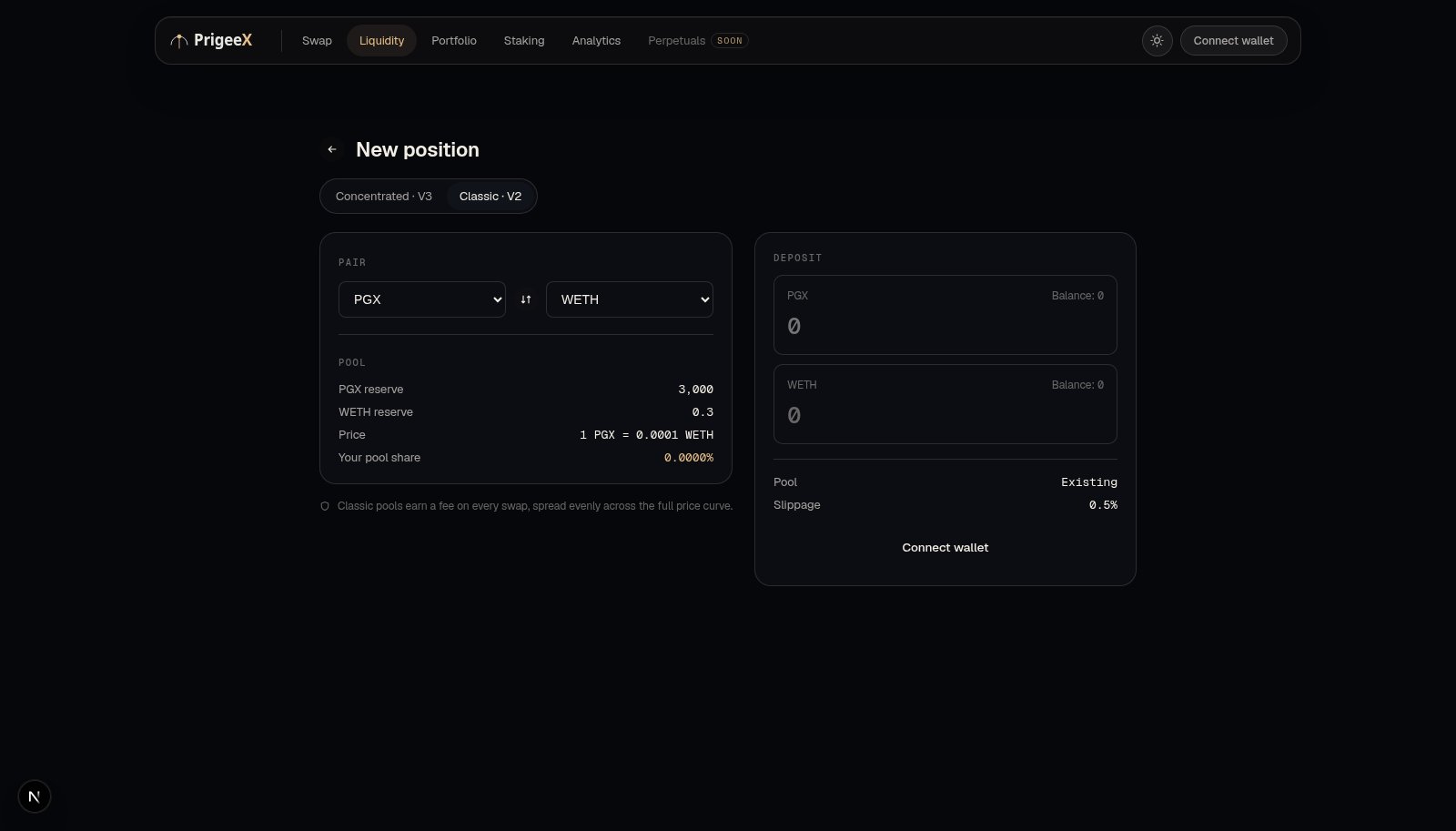
- Go to the Liquidity page and choose Classic (the simple option).
- Select the token pair you want to provide, e.g. ETH / USDC.
- Enter an amount for one token. PrigeeX automatically fills in the matching amount of the other token. Classic requires the two sides to be equal in value.
- If it’s your first time providing a given token, Approve it in your wallet (a one-time permission per token).
- Click Add Liquidity and confirm in your wallet.
- Once confirmed, you receive an LP token in your wallet representing your share of the pool.
What is the LP token you receive?
Your LP token is like a receipt that proves your share of the pool. As trades happen and fees accumulate, the value your LP token can be redeemed for grows. You hold it in your wallet until you want to withdraw.How you earn
Every time someone swaps in that pool, a small fee is added to the pool. Your share of those fees is automatically reflected in the pool; there’s no separate “claim” step in Classic. When you withdraw, you get back your tokens plus your accumulated share of fees.Removing your liquidity
- Go to the Liquidity page and find your Classic position.
- Choose Remove, and select how much to withdraw (some or all).
- Confirm in your wallet.
- Your two tokens, including earned fees, return to your wallet, and the LP token is redeemed.
Things to keep in mind
- You provide both tokens in equal value. If you only hold one, you can swap half of it for the other first.
- Impermanent loss applies. If the two tokens’ prices move apart, you may end up with a different mix than you deposited. Learn why →
- Your value fluctuates with the market price of the two tokens, just like holding them directly.